PrettyFly.ai· AI ops

No. 01 — Workflow-first AI operations

Florida · est. 2025 · PrettyFly.ai LLC

Start with the work.
Build the system.

PrettyFly is senior AI/ops advisory plus systems execution for service businesses where delivery, reporting, onboarding, intake, or knowledge transfer creates visible drag.

Most teams don't need another AI workshop. They need to see where context gets rebuilt, which judgment stays human, and what one small system could remove.

Seven questions. One read: review, cleanup, or hold.

WORKS Review artifactone workflow · before tooling
Observed workflow
01
Trigger

Weekly client report is due

02
Sources

CRM, finance sheet, account notes

03
Judgment

Senior operator explains what changed

04
Drag

Clean, re-key, format, approve

Review memo

Work: weekly reporting path

Obstacles: reconstructed context

Risks: person-dependent logic

Keep: approval + interpretation

System: small reporting digest

Recommended next: map the reporting workflow before recommending any automation.
Fig. 01 — workflow readobserve · find drag · write memo
WORKS Review trace

See the route before you fix it.

A WORKS Review makes one operating habit legible before a tool enters the conversation.

Step 01

Make the workflow visible.

Start with the route as it exists today: the trigger, the sources, the judgment call, the repeated work, and the buyer-facing output.

  1. 01 · TriggerMonday status report

    The weekly update is due.

  2. 02 · SourcesCRM export + finance sheet

    Numbers and notes live in separate places.

  3. 03 · JudgmentSenior explains exceptions

    A person adds the context the tools cannot explain.

  4. 04 · Repeated workReport rebuilt by hand

    Cleanup, formatting, and approval happen again next week.

    Repeated work
  5. 05 · OutputClient update sent

    The buyer sees the update, not the hidden rebuild.

Plain readThe report is not the whole workflow. It is the last visible artifact in a chain of handoffs.
trigger / output source system human judgment repeated manual work
Reading noteLeft: the mess people feel. Right: the memo shape before a tool enters the conversation.
No. 01B

Plain answers

What you actually get
Q.01Company

What is PrettyFly.ai?

PrettyFly.ai is a senior AI operations advisory plus systems execution practice for service businesses where delivery, reporting, intake, or client updates create visible drag. The first move is always a WORKS Review — a short, paid read of one expensive workflow before any tool or build is recommended.

PrettyFly helps overloaded businesses turn messy operations into working AI systems.
Company truth · the one-liner
  • Service businesses
  • Workflow-first
  • Adoption-first
Recommended nextStart the workflow triage
Q.02Method

How does a WORKS Review work?

A WORKS Review is a ~90-minute structured read of one operating workflow. PrettyFly maps five columns and returns a short memo naming the workflow, the clearest drag, the cost of waiting, what PrettyFly would not build yet, and one recommended next move — review, cleanup, build, or hold.

Five columns. One decision.

WORKS keeps the conversation grounded in operating facts: what happens, where it breaks, what risk it creates, what stays human, and what comes next.

WWork

What the workflow actually does, where it starts, who touches it, and where it ends.

step 01
OObstacles

What repeats, breaks, slows down, gets cleaned up by hand, or sits in someone's head.

step 02
RRisks

What goes wrong if the workflow stays the way it is.

step 03
KKeep / kill / build

What stays human, what retires, and what is worth systematizing now.

step 04
SSystem next step

One concrete next move: review, document, automate, rebuild, or leave alone.

step 05
Recommended nextBook a WORKS Review
Q.03Offer

What does PrettyFly offer?

The offer ladder is three tiers, narrow on purpose:

The path stays narrow on purpose.

  1. 01

    WORKS Review

    the first concrete move

    A small review of one operating route before broader advisory, audit, or build work.

  2. 02

    CTO Systems Audit / Vision Sprint

    the build-readiness check

    A paid review of the operating system, tool stack, data flows, and adoption path.

  3. 03

    Advisory / Build

    the ongoing partnership

    Senior AI/ops guidance plus systems execution until the workflow sticks.

Recommended nextOpen the WORKS Review bridge
No. 02

The problem

Buyer pains

Expensive work hides in handoffs, not in the absence of AI.

The drag is rarely in any single tool. It is in the space between them: cleanup, re-keying, repeated explanation, and reports that exist only in someone's head.

  • 01Delivery context lives in two or three senior people's heads.
  • 02Reporting gets rebuilt by hand every week from four systems.
  • 03Tools each hold a piece of the truth; the handoff is still manual.
  • 04Onboarding, intake, and proposals repeat, but still need judgment.
  • 05AI tools have been bought, but adoption has not reached the workflow.
  • 06The buyer wants to know what to fix before asking someone to build.
No. 02B

Interactive workflow read

Live demo
Loading workflow demo
No. 03

The first concrete move

WORKS Review

The WORKS Review

Before tools, name the work.

A WORKS Review studies one route through the business: the trigger, handoffs, cleanup, judgment, and cost of leaving it alone.

The output is a short memo that says what to review, what to simplify, and what not to build yet.

Inside a WORKS Review~90 min · 1 workflow
  • Triggerhow the work starts
  • Pathwho touches it, where it moves
  • Dragwhat repeats, breaks, slows down
  • Toolssystems, documents, manual steps
  • Judgmentwhat should stay with people
  • System nextwhat is worth building, or leaving alone
You walk away with

A short review memo in the buyer's language: the workflow, the clearest drag, the workaround, the cost of waiting, what PrettyFly would not build yet, and one recommended next move.

No. 04

Workflow drag

What expensive work looks like

Expensive work hides in handoffs, not in the absence of AI. Three shapes show up every time.

~10–15 hrs / week

Reporting drag

Ops leads, finance partners, anyone who owns a weekly readout.

  • You rebuild the same report for every stakeholder.
  • Data lives in five tools; none fully agree.
  • Last-minute exec asks blow up your week.
The report is visible. The repeated reconstruction is the expensive part.
~8–12 hrs / week

Intake & client updates

Delivery leads, client partners, anyone holding the status conversation.

  • Clients ping you for status you already wrote somewhere.
  • You rephrase the same update across email, Slack, decks.
  • New client context lives in three places, none canonical.
Delivery starts late when the team has to assemble the story again.
~20–30% of ops capacity

Tool reconciliation & knowledge transfer

Senior operators, RevOps, anyone the team escalates to.

  • CRM and accounting hold versions of the same truth.
  • You copy-paste numbers to make tools agree.
  • The senior operator answers the same questions every onboarding.
The cleanup is the work. The work is the cleanup.

If two of those sound exactly like your week, the first move is a workflow read.

Book a 15-min workflow read
No. 05

Proof — inspectable

What's shipped

Proof you can open in a tab, not only a deck of customer logos.

The work below is real software. The useful part is not the logo; it is the before-and-after shape of the operating route.

01Real systems

production work, not slideware

02Workflow tied

the messy path is named first

03Inspectable

open the route, watch the receipt

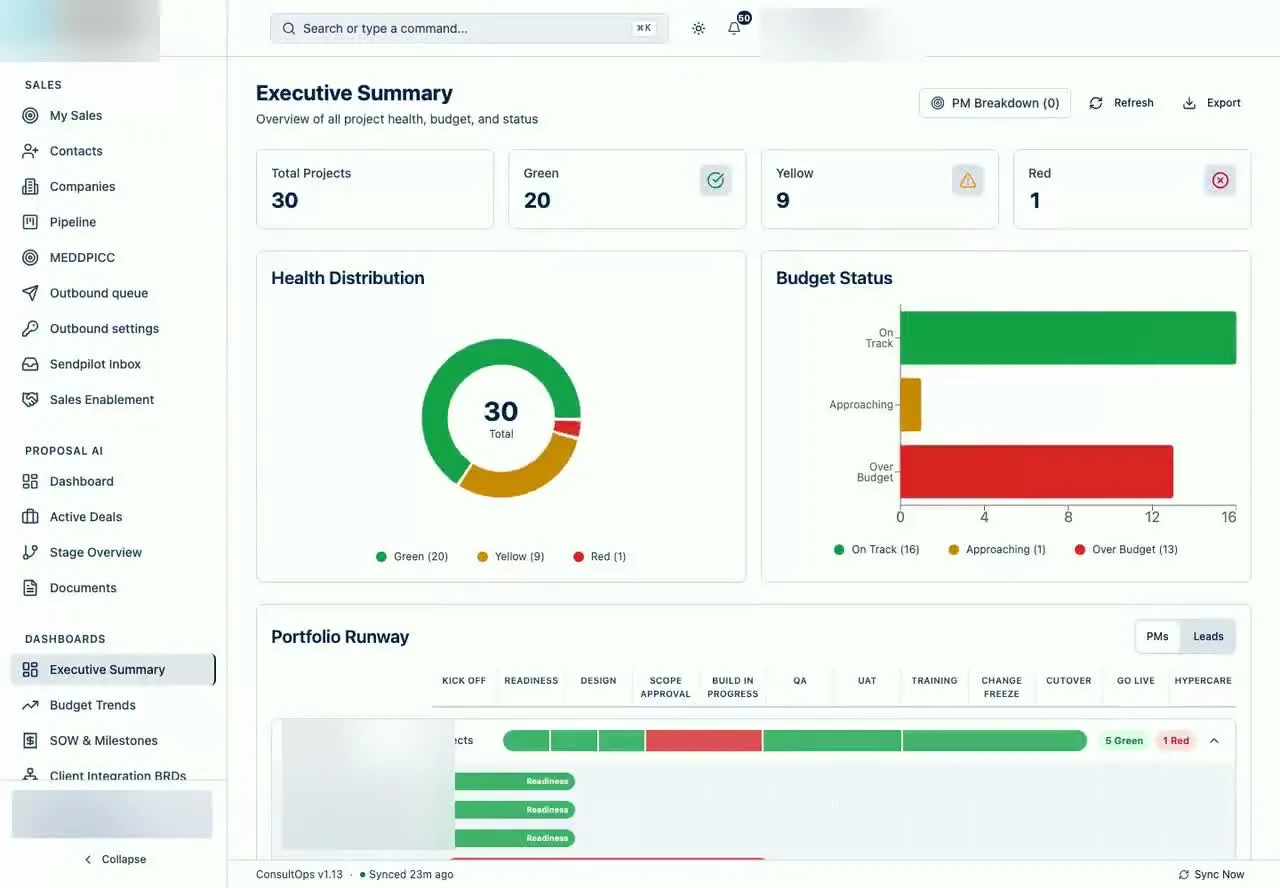
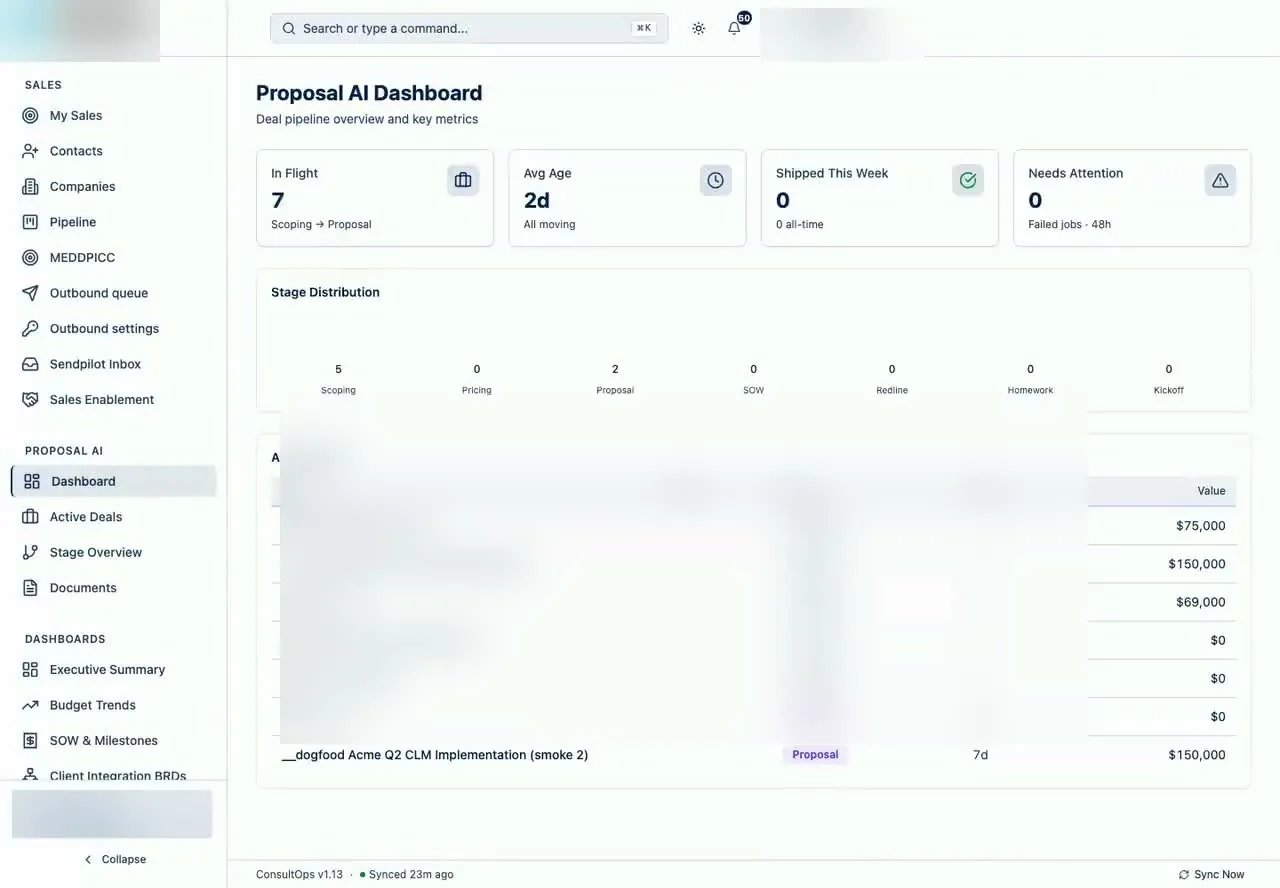
Case · 01ConsultOpsworkflow receipt

ConsultOps became one operating platform for consulting teams

Original dragSales, delivery, budgets, resourcing, utilization, and client updates were being reviewed in separate passes.

Shipped systemA PrettyFly-owned platform now carries CRM, delivery, budget, SOW, resource, utilization, client visibility, and export capabilities.

Read the case study →
Proof video
Case · 02YEHworkflow receipt

YEH's construction operation became one platform route

Original dragLeads, estimates, field work, finance, portals, and executive visibility were split across handoffs.

Shipped systemAn 80+ screen construction operating platform now connects the job lifecycle across eight role-based views.

Read the case study →
Proof video
Case · 03PrettyFly OSworkflow receipt

PrettyFly OS gives internal agent work one operating surface

Original dragHealth, cost, failures, and handoffs were split across servers and logs.

Shipped systemA PrettyFly OS surface now shows fleet state, budget, faults, tracing, and MCP tools.

Read the case study →
Proof video
No. 05B

Client work and operating relationships

Relationship proof

Approved roster

Teams PrettyFly has been trusted to build with.

This is relationship proof, not manufactured testimonial copy. Quotes can be added later when the exact words and attribution are approved.

RelationshipKoho Consulting

consulting operations and AI solutions work

RelationshipYehovah Builders

construction operating system and workflow infrastructure

Relationship1God1Faith Ministries

nonprofit and ministry web presence

Closing read

Start with the workflow. Leave with the next move.

The site is not asking you to buy an AI tool. It is asking you to name the workflow, inspect the drag, and decide whether the next move is a WORKS Review, internal cleanup, or hold.